



Centrally Assessed
Introduction
Public Utilities and Railroads are unique in the way they are assessed when compared with other types of real property. Centrally Assessed property can extend over county and state lines. Therefore, State appraisers come up with the value for each account and distribute the appropriate values to the county (local jurisdictions). The account values are updated each tax year prior to the creation of the Abstract.
Note: Centrally Assessed accounts roll forward with prior year values. Simply update the prior year's values to reflect the current year's values. Pay careful attention to the rounding of the assessed values.
Note: The administrator must grant the proper permissions to ensure the user can search, update, and add Centrally Assessed accounts.
Adding Accounts
Select the Public Utilities tab.
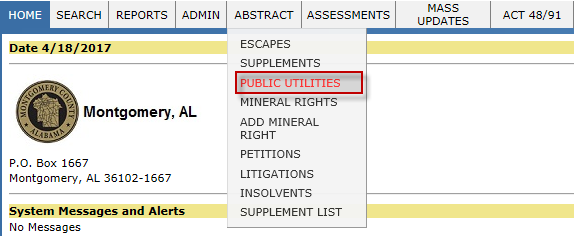
Select the Add button.

Note: The Add button is only available for the active tax year. After the Abstract is created, the Add button will no longer appear on the Public Utilities page.
Enter the Name, Address, City, State, and Zip then select Add.
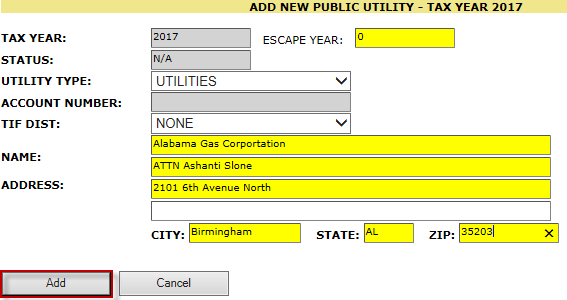
Select the Cancel button to return to the Public Utilities page.
Validating and Updating Centrally Assessed Accounts
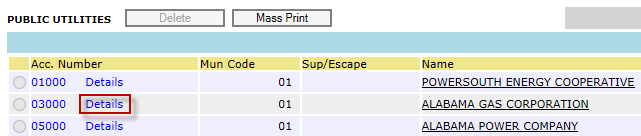
Select the Details hyperlink.
Select the Clear hyperlink to reset the values.
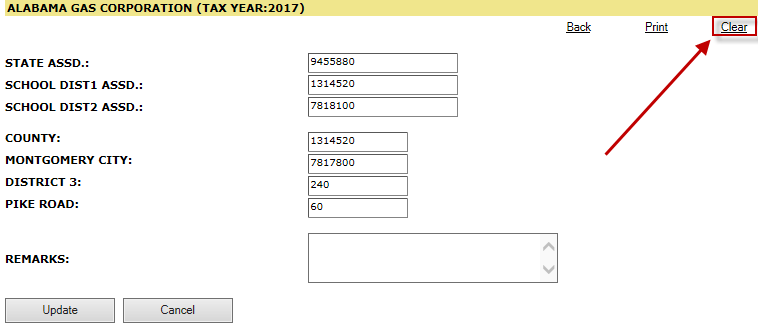
Note: The Update button must be selected in order to save the new data. If Update is not selected then the values revert to the previous year’s values.
With the Public Utility Assessment form (recieved from the State) enter the total assessed value in the State ASSD field and enter the District 1 and the District 2 amounts into their respective School Dist1 ASSD and School Dist2 ASSD fields in Capture.
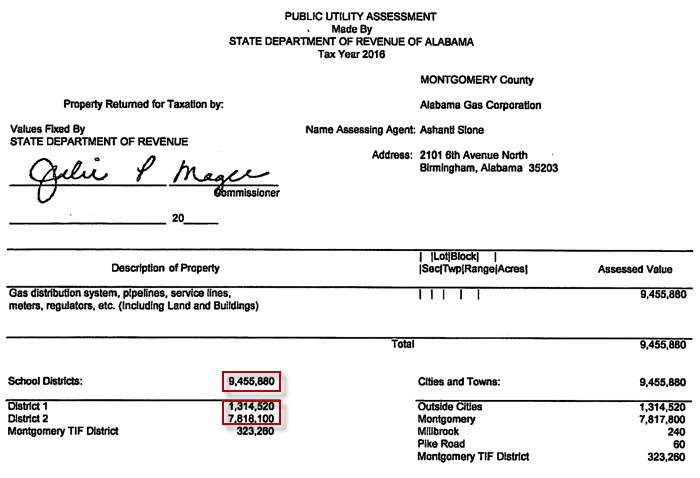
Note: Make sure the values are rounded to the nearest $20.
Enter all necessary municipalities except for County (or refer to "Outside Cities" if the Public Utility Assessment sheet provides a value for that field).
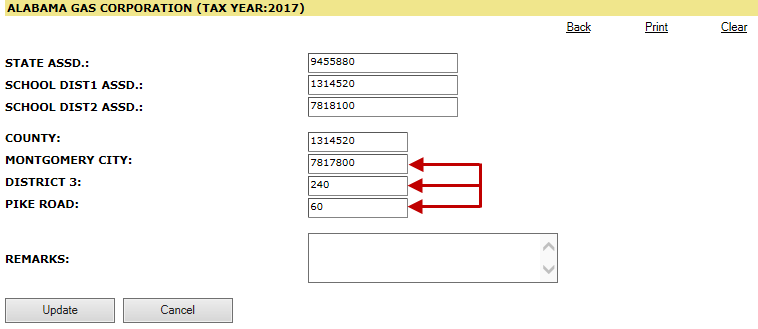
Note: Manually add up the municipalities listed in Capture. Subtract the total municipal value from the total assessed value to calculate the County field (or refer to "Outside Cities" if the Public Utility Assessment sheet provides a value for that field).
Ensure that the municipalities and the county add up to the State Assessed total.
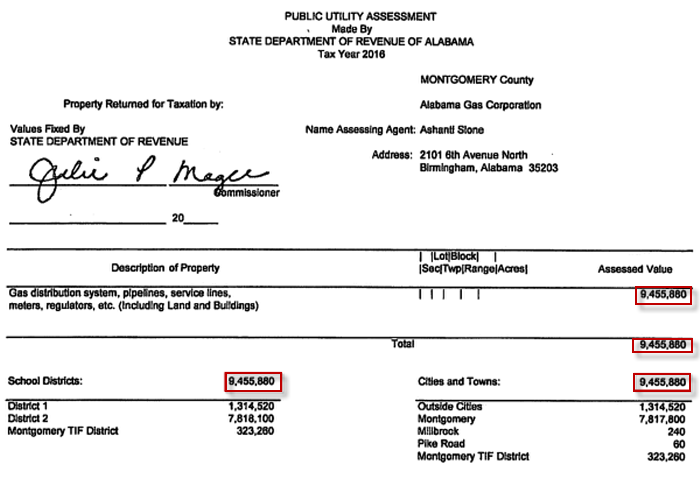
Note: If the State assessed value does not equal county and municipalities then Capture will prompt the user with a message warning.
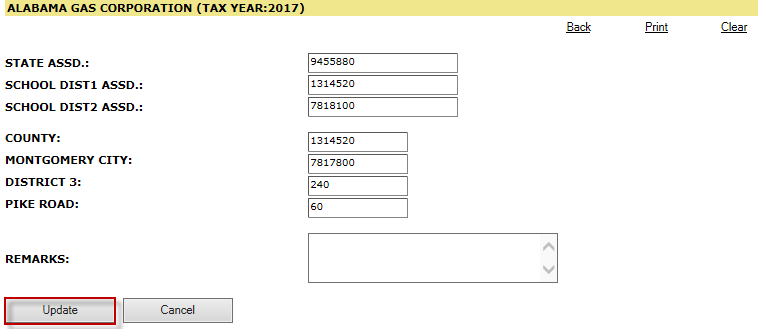
Select the Update button.
Edit Account Information
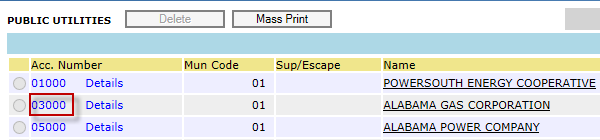
Select the Acc. Number hyperlink.
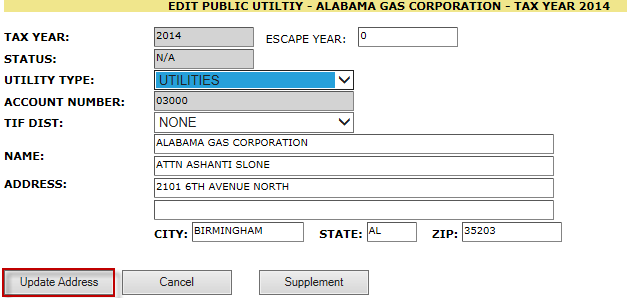
Edit any field and select the Update Address button.
Supplement An Account
Select the Acc. Number hyperlink.
Select the Supplement button and confirm.
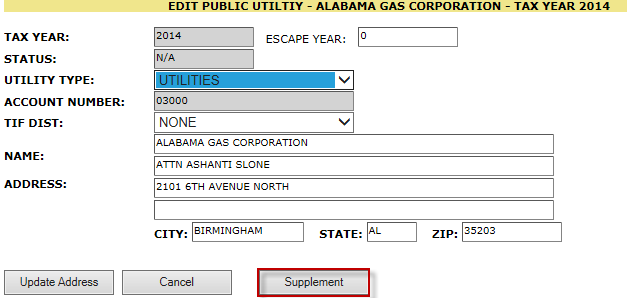
Note: Make the necessary changes to the account within the Acc. Number and Details hyperlinks. Once finished with the changes then select Update.
Select the Release button and confirm.


Confidential | Copyright © 2017 E-Ring, Inc.